[1] 100Introduction to R: the basics
R Training
Welcome to the “Introduction to R Course”!
We will learn to use the
Rprogramming language!Using administrative data familiar to tax administrations.
Some pre-requirements
❌ The training does not require any background in statistical programming.
✅ A computer with R and RStudio installed is required to complete the exercises.
✅ Internet connection is required to download training materials.
What is R?
R is a programming language with powerful statistical and graphic capabilities.
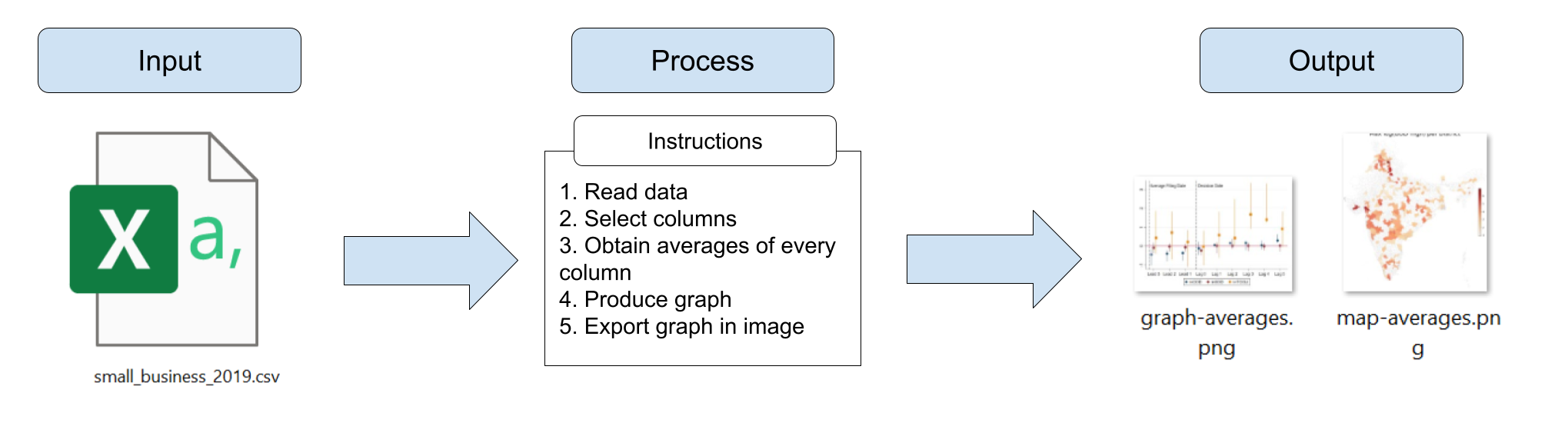

Why should we use R?
Ris very flexible and powerful—adaptable to nearly any task, (data cleaning, data visualization, econometrics, spatial data analysis, machine learning, web scraping, etc.)
Ris open source and free to use - allowing both you and your institution to save money!
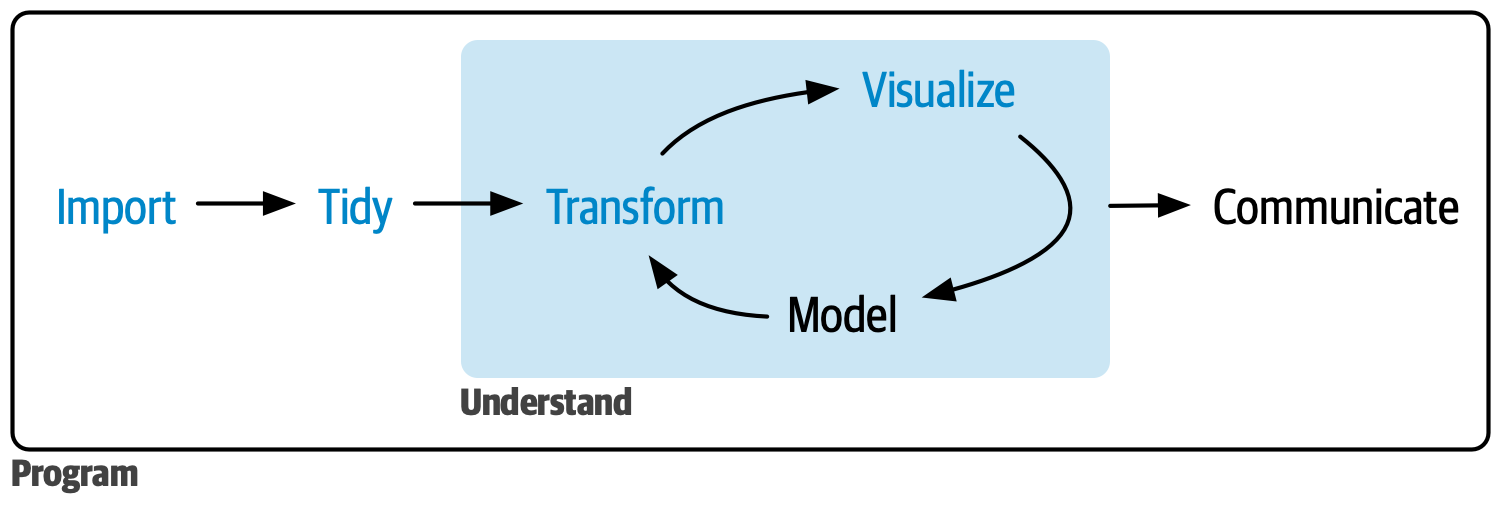
Rhas been growing rapidly in popularity.
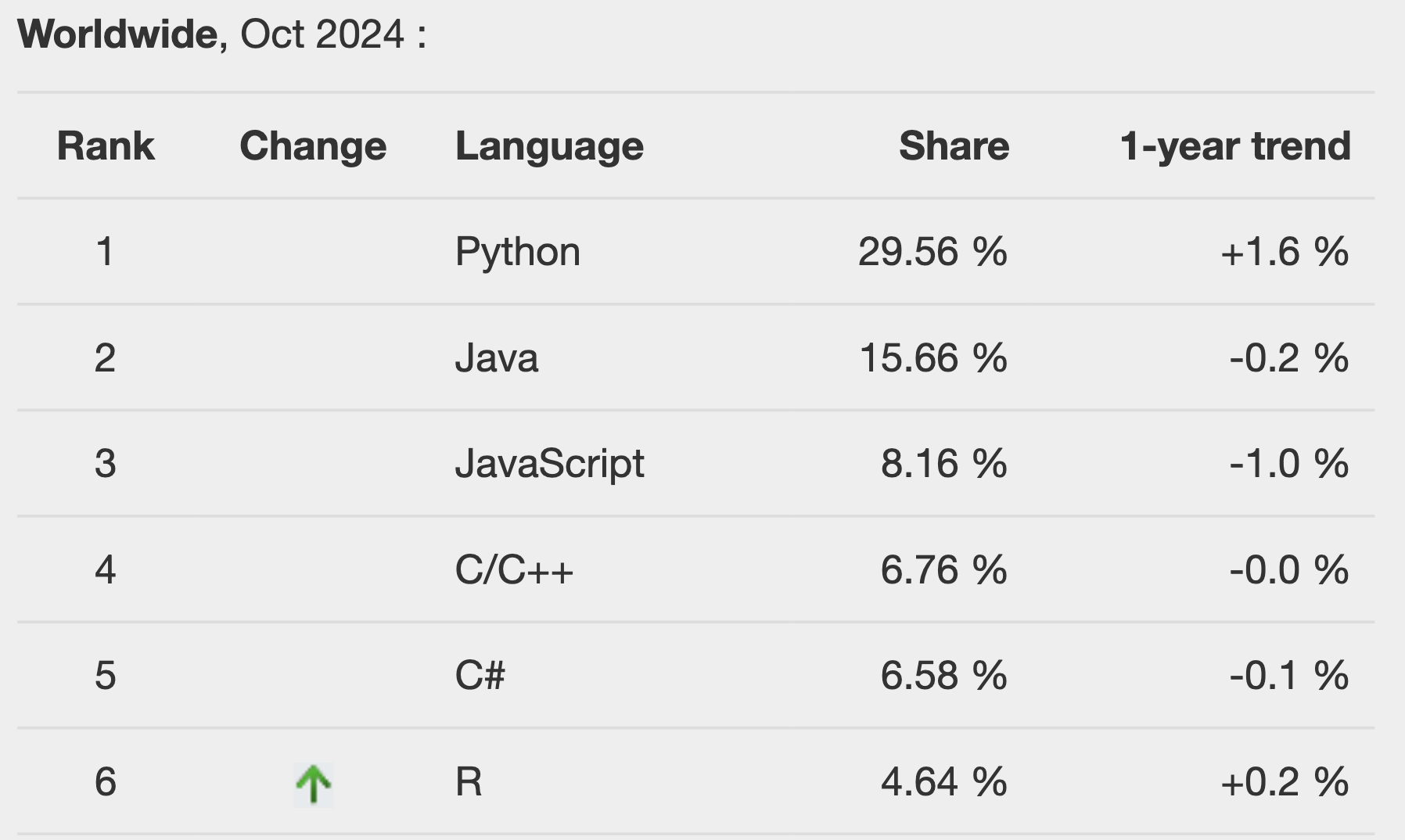
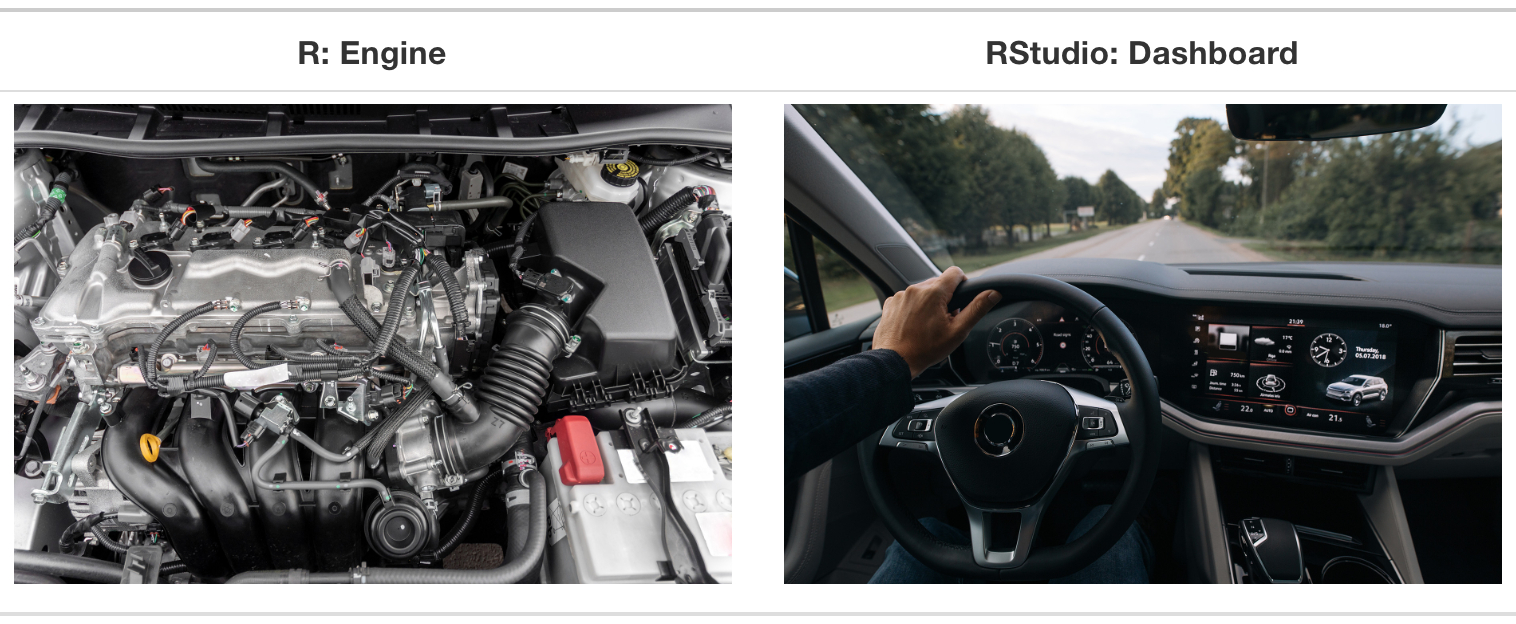
Roffers a great interface -RStudio.
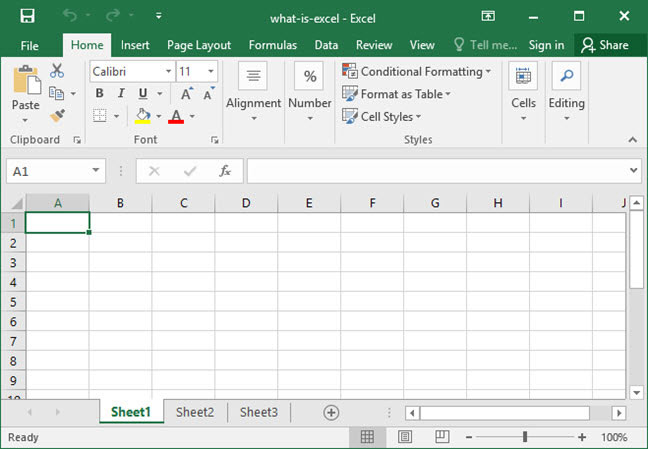
And what about Excel?
✅ Easy to use.
❌ Only good for small datasets.
❌ We don’t keep track of what we do.
❌ Not straightforward to merge data.
❌ And the list goes on…
And what about STATA?
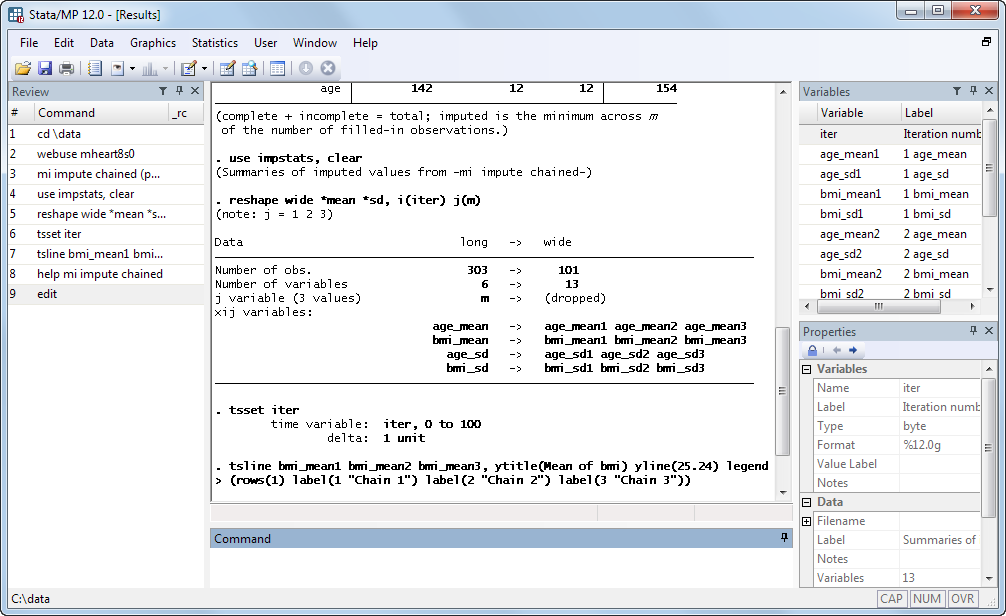
✅ Stata is widely used in economics.
✅ Easy to learn.
❌ Only good for small datasets.
❌ Expensive!
❌ Lack of flexibility… do you hate keep, preserve, and restore too?
Getting Started with RStudio
You should see this!
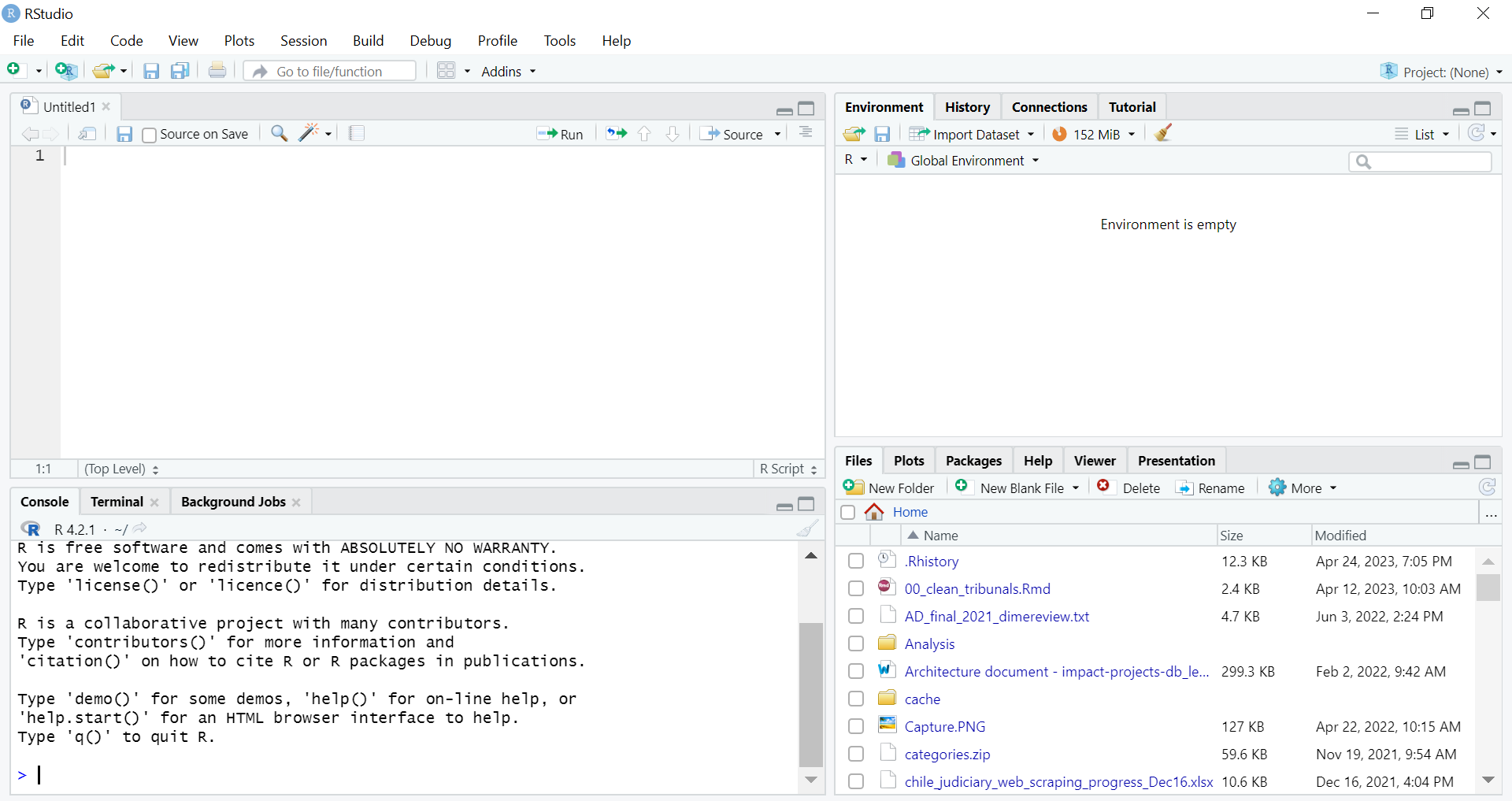
If you don’t, make sure you opened RStudio and not R!
Console
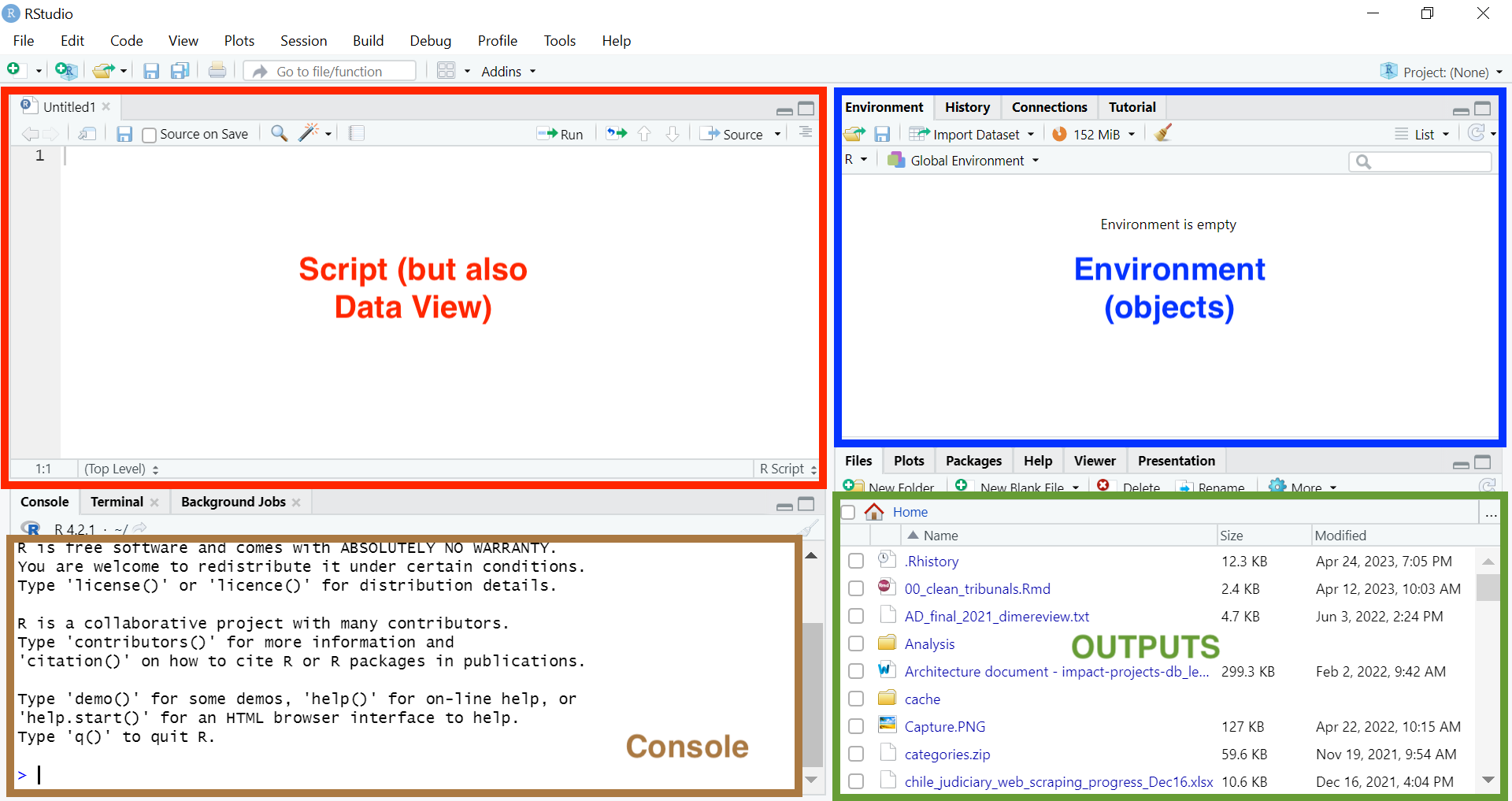
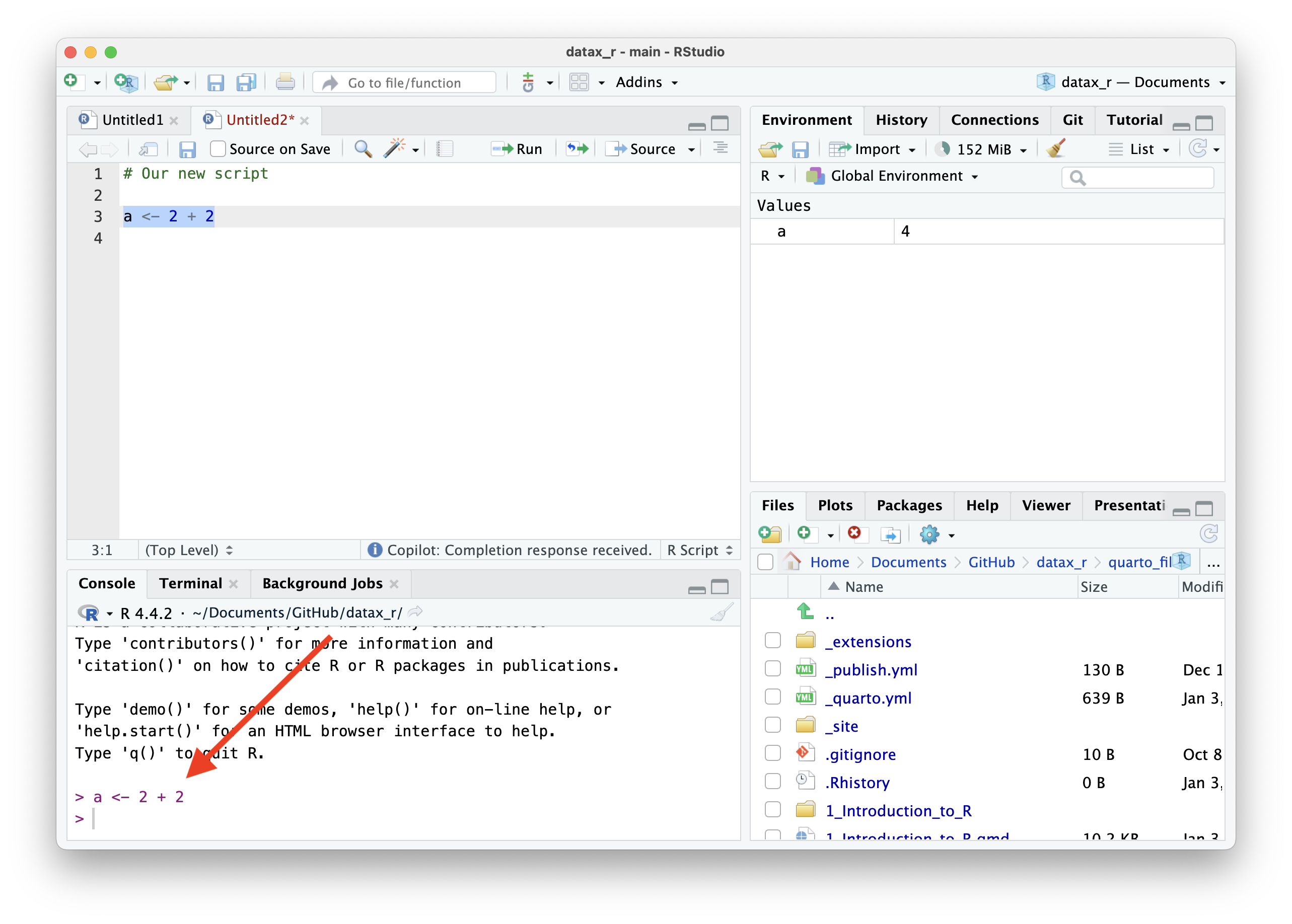
Let’s begin by writing your R scripts (source code) in the Source pane.
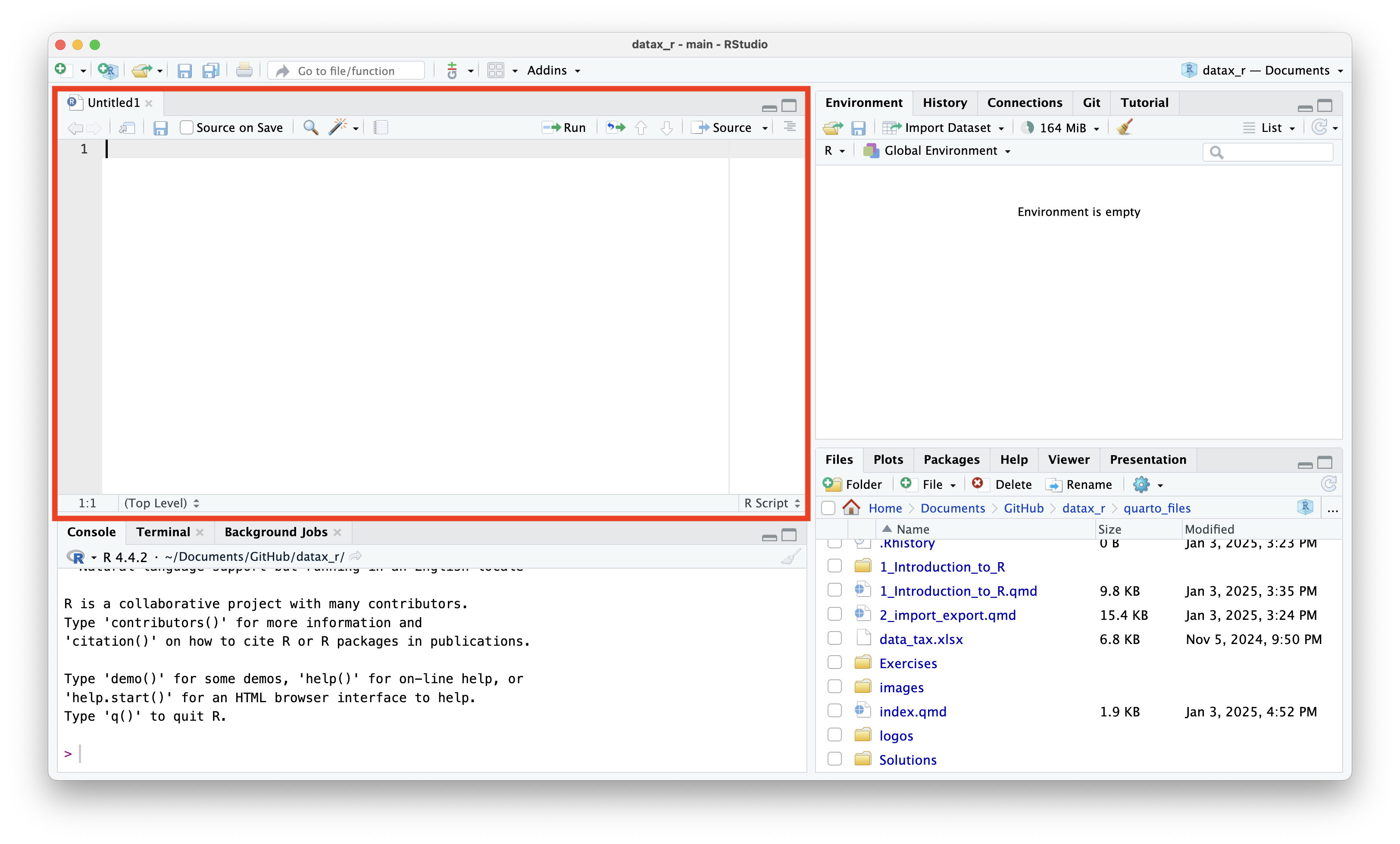
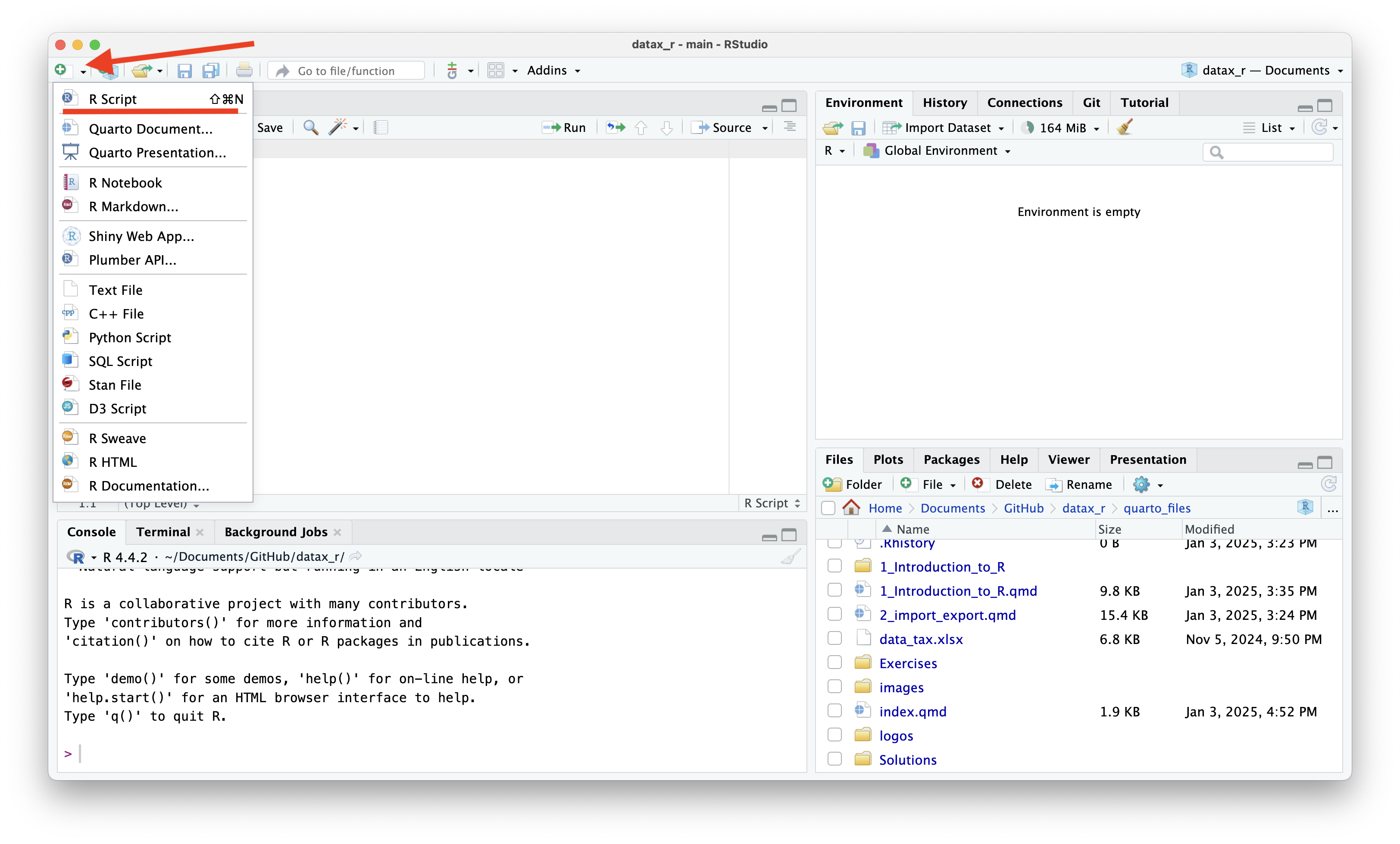
You can use the menubar or Ctrl + Shift + N to create new R scripts.
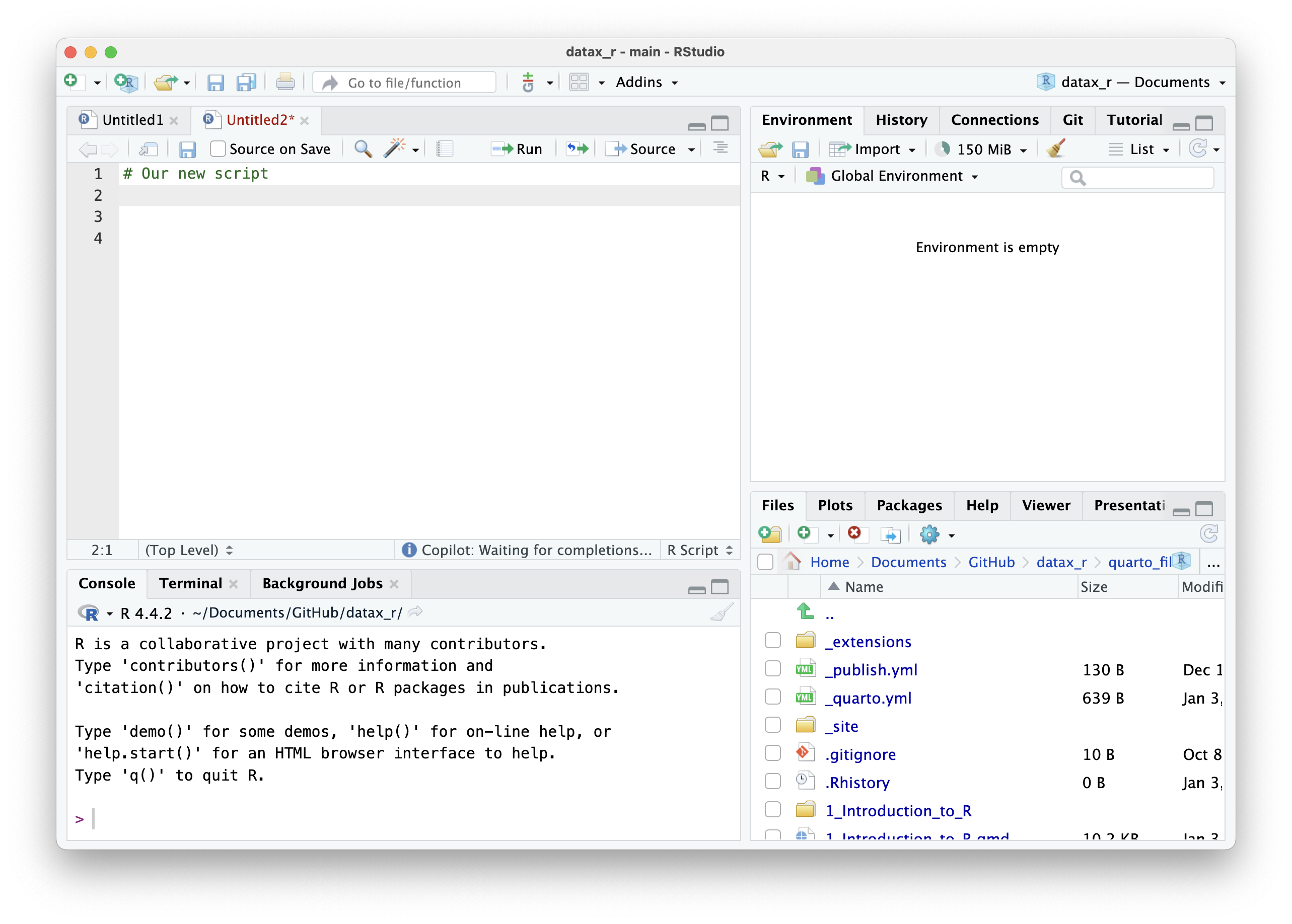
Scripts help us document and organize the steps we want to perform.
To run a command, type it in the Source pane and press Ctrl+Enter (Windows) to execute it in the Console.
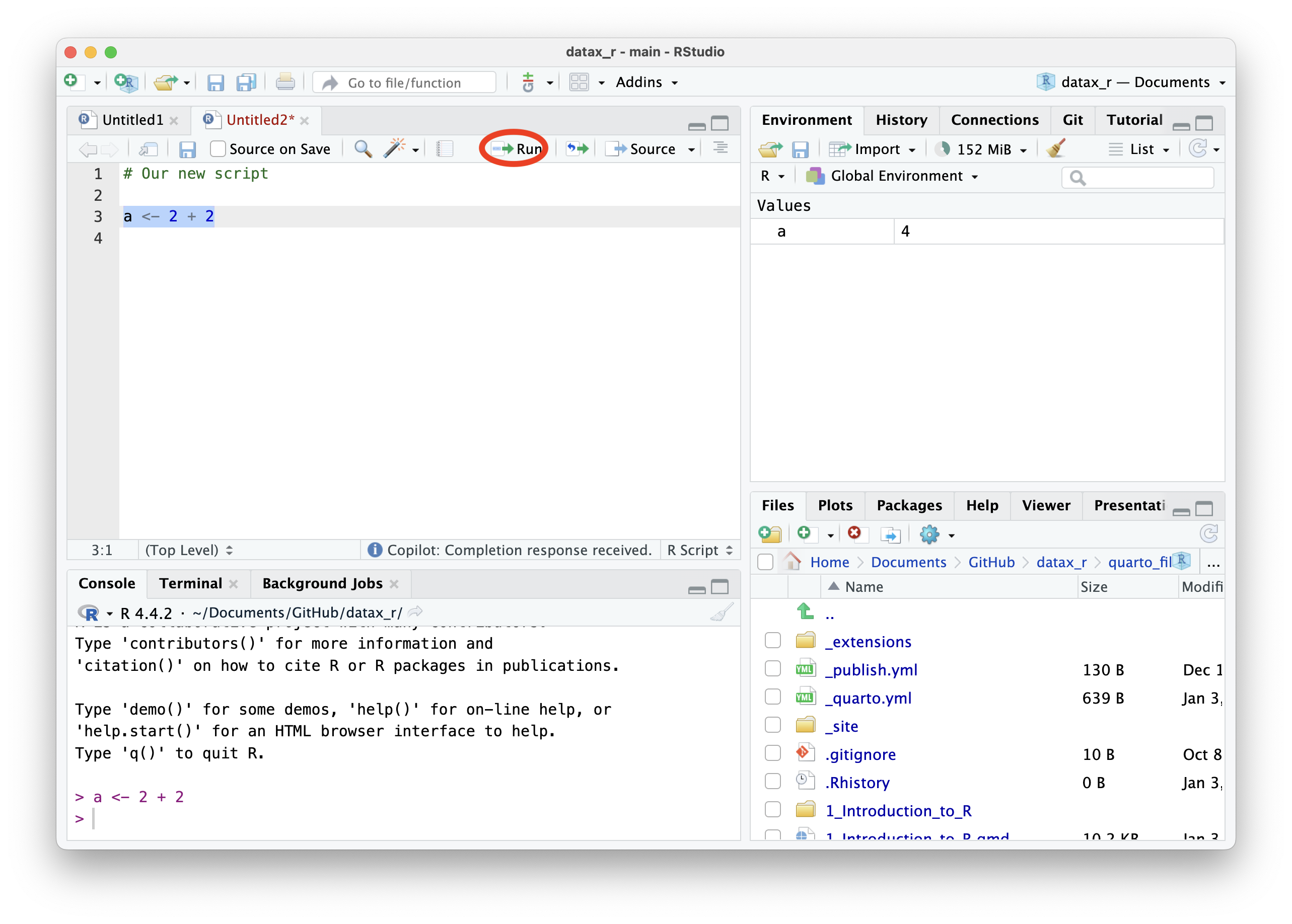
The result will appear in the Console pane (bottom-left panel).
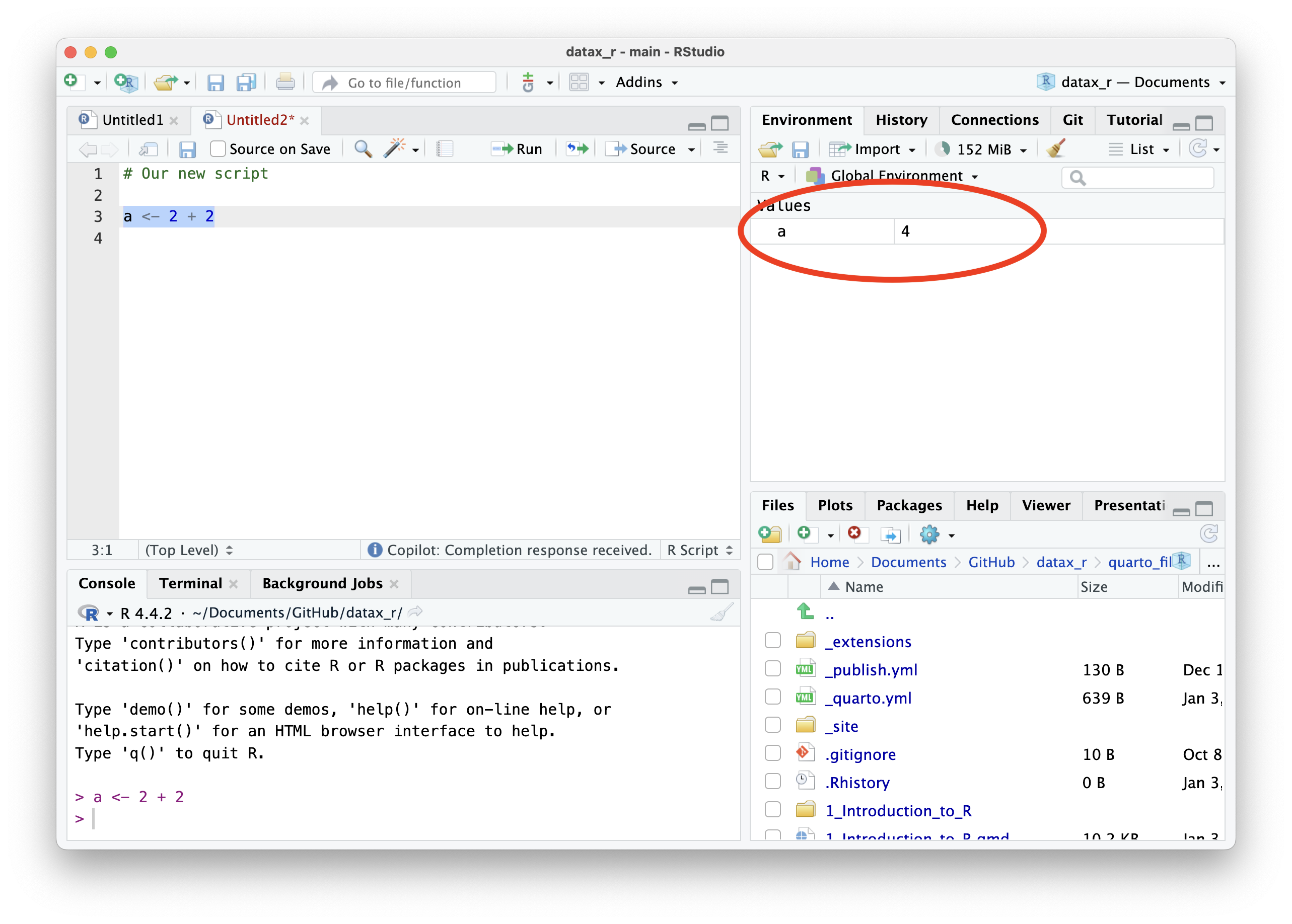
The Environment pane displays all the objects you’ve created during your session.
Using R as a Calculator
Basic Math Operations
A simple sum:
More Math Operations
Subtraction, multiplication, division:
Storing Results: Objects
Instead of just calculating, we can save results for later use.
Naming Rules for Objects
- Use lowercase letters
- Separate words with underscore (
_) - this is calledsnake_case - Make names descriptive but not too long
- Don’t use spaces or special characters
Understanding Functions
What is a Function?
A function is a reusable piece of code that performs a specific task.
Think of functions as tools in a toolbox 🧰
Structure of a function call:
function_name(argument1, argument2, ...)
Function Arguments
Arguments are inputs to the function.
Positional arguments - order matters:
Named arguments - order doesn’t matter (recommended!):
Tip
Using named arguments makes your code clearer and less error-prone.
Common Mathematical Functions
Getting Help with Functions
Three ways to learn about functions:
Important Functions You’ll Use Often
Data Types
Three Main Data Types
Checking Data Types
Use class() to check the type:
Logical Operations (Comparisons)
Creating logical values through comparisons:
Combining Logical Conditions
[1] TRUE[1] TRUE[1] TRUEWorking with Vectors
What is a Vector?
A vector is a sequence of data elements of the same type.
Think of it like a column in a spreadsheet!
Note
All elements in a vector must be the same type (all numbers, all text, or all logical values).
Creating Different Types of Vectors
Numeric vectors:
Character vectors:
Useful Functions for Creating Vectors
Creating sequences with :
More control with seq()
How Many Elements? length()
[1] 5Vector Operations
Vector Arithmetic
R performs calculations element-by-element:
[1] 55000 82500 99000 49500 90200Summary Statistics
Functions that work on entire vectors:
Accessing Vector Elements: Indexing
Get a single element by position:
Logical Indexing: Filtering Data
Find elements that meet a condition:
[1] FALSE TRUE TRUE FALSE TRUEUse logical vectors to filter:
Missing Values (NA)
Understanding Missing Data
In real tax administration data, missing values are common:
- Firms that haven’t filed yet
- Incomplete records
- Data entry errors
The Problem with NA
Math with NA returns NA!
Warning
Any calculation involving NA will return NA unless you explicitly handle it!
Handling NA: The na.rm Argument
Most statistical functions have an na.rm argument (NA remove):
[1] 68400[1] 342000[1] 90000Tip
Always check your data for missing values and decide how to handle them!
Detecting Missing Values
Working with Complete Cases
[1] 50000 75000 90000 45000 82000Practical example: Compliance rate
Compliance Rate: 71.4 %[1] "FIRM_3" "FIRM_6"Exercise 1: R Basics
10:00 Part 1: Objects and Calculations
- Create an object
base_amountwith value 125000 - Create an object
tax_ratewith value 0.15 (15%) - Calculate the tax amount and store it in
tax_owed - Add a 5% penalty to
tax_owedand store intotal_payment
Part 2: Using Functions
- Round
total_paymentto the nearest integer - Calculate the square root of
base_amount - Use the
abs()function to get the absolute value of -5000
Exercise 1: Solutions
Exercise 2: R Basics
10:00 Part 1: Creating Vectors
- Create
firm_ids: “FIRM_001” through “FIRM_006” (usepaste0()and1:6) - Create
vat_amounts: 50000, 75000, NA, 90000, 45000, NA - Create
years: 2020 to 2025 using: - Create
standard_rate: repeat 0.15 six times usingrep()
Part 2: Vector Operations
- Calculate mean VAT (handle NAs!)
- Calculate total VAT collected
- Multiply all
vat_amountsby 1.05 to add 5% penalty
Exercise 2: R Basics
Part 3: Indexing
- Get the VAT amount for the 3rd firm
- Get VAT amounts for firms 2, 4, and 5
- Find all VAT amounts greater than 60000
Part 4: Missing Data
- How many firms haven’t declared VAT?
- Create a logical vector showing which firms have missing data
- Which firm IDs correspond to missing VAT data?
Solutions: Exercise 2
# Part 1: Creating Vectors
firm_ids = paste0("FIRM_", sprintf("%03d", 1:6))
vat_amounts = c(50000, 75000, NA, 90000, 45000, NA)
years = 2020:2025
standard_rate = rep(0.15, times = 6)

# Part 2: Vector Operations
mean(vat_amounts, na.rm = TRUE)
sum(vat_amounts, na.rm = TRUE)
vat_amounts * 1.05

# Part 3: Indexing
vat_amounts[3]
vat_amounts[c(2, 4, 5)]
vat_amounts[vat_amounts > 60000 & !is.na(vat_amounts)]

# Part 4: Missing Data
sum(is.na(vat_amounts))
is.na(vat_amounts)
firm_ids[is.na(vat_amounts)]
Extending R with Packages
What are Packages?
R packages are collections of functions created by the community.
Think of base R as a smartphone, and packages as apps you install!
Two steps to use a package:
- Install it (once):
install.packages("packageName") - Load it (each session):
library(packageName)
Installing and Loading Packages
Note
Think of it like this:
- Installing = Buying a book and putting it on your shelf
- Loading = Taking the book off the shelf to read it
Popular Packages for Tax Analysis
Some packages you’ll use in this course:
dplyr - Data manipulation and transformation
ggplot2 - Creating professional visualizations
readr / readxl - Reading CSV and Excel files
data.table - Fast operations on large datasets
lubridate - Working with dates
Tip
We’ll learn these packages in upcoming modules!
Wrap Up
What We’ve Learned Today
- RStudio interface - where to write and run code
- R as a calculator - basic arithmetic operations
- Objects - storing values for later use
- Functions - reusable tools that perform tasks
- Data types - numeric, character, logical
- Vectors - sequences of data
- Vector operations - arithmetic and filtering
- Missing values - handling incomplete data with NA
- Packages - extending R’s capabilities
Key Concepts to Remember
Always save your work in scripts - not just the console!
Functions are your friends - use help() when unsure
Vectors are everywhere - they’re the foundation of data in R
Handle NAs explicitly - use na.rm = TRUE in calculations
Comment your code - your future self will thank you!
Comments: Explaining Your Code
Use
#to add comments - R will ignore everything after#Tip
Good practice: Comment your code to explain WHY you’re doing something, not just WHAT you’re doing.